Getting started
An overview of FotoboxSuite, the Windows app, customer portal, online gallery and your first production setup.
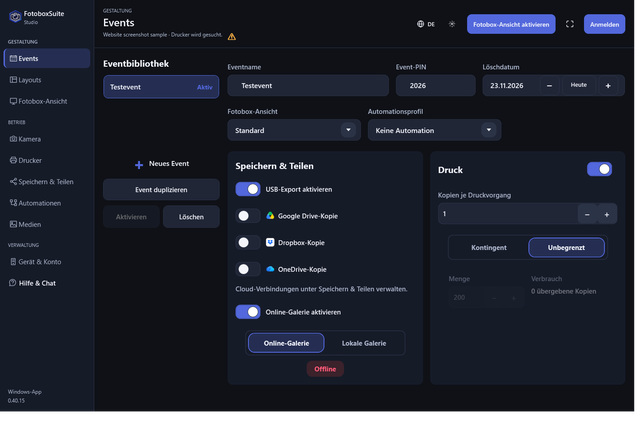

FotoboxSuite is a software platform for modern photo booth rental businesses. It connects the local Windows app at the event with the customer portal, event management, print control, QR code delivery and online gallery.
What is FotoboxSuite?
FotoboxSuite brings the photo booth workflow together in one system: prepare in the portal, operate on site in the Windows app, print and share at the event, and make images available in an online gallery.
What are the components?
Windows appThe Studio app runs on the photo booth computer and controls guest mode, the camera, live view, countdown, printer, QR code and local event workflow.
Customer portalThe portal centrally manages your account, devices, events, galleries, invoices and updates.
Online galleryEvent images can be made available online. Guests access the gallery through a QR code or link.
What does the first setup involve?
- Open the portal and set up your account.
- Install the Windows app on the photo booth computer.
- Sign in to the app and connect the device to your customer account.
- Select the camera and printer and check them with a test run.
- Prepare an event, select a layout and start guest mode.
- After the event, manage the gallery and delivery in the portal.
FotoboxSuite is designed for practical use by rental businesses: the app, portal and gallery work together to connect preparation, event operation and delivery in a clear workflow.